

Third-Party JavaScript Is Part of Your Attack Surface: Lessons from a Recent Supply-Chain Attack

Table of Contents
- The hidden risk of third-party JavaScript
- What Content Security Policy can and cannot do
- Reducing third-party script risk: guidance for every organization
- How Qualys TotalAppSec helps identify exposure
- Detecting malicious content with Qualys Web Malware Detection
- Recommendations for security teams
- Conclusion
- References
In a recent incident, visitors to websites run by some of the world’s best-known brands, including news publishers, banks, airlines, and software companies, were served malicious JavaScript. Most of those organizations never deployed bad code. The code came through a script they had deliberately chosen to trust, delivered by a widely used third-party web service.
The attackers did not break into those websites. Instead, they exploited a weakness in the vendor’s platform to gain administrative control of some customer accounts, then modified the JavaScript those customers delivered through the vendor. The vendor’s CDN served the altered code to every visitor of an affected page.
Researchers who analyzed the injected code found it running on many organizations’ websites. It was built to steal payment card details typed into on-page forms, tamper with cryptocurrency transactions, and send readable cookies to attacker-controlled servers.
The lesson extends beyond one vendor: modern websites run code their owners did not write and often do not track.
The hidden risk of third-party JavaScript
Analytics, personalization, advertising, consent management, chat, and A/B testing all depend on external scripts. Each <script src> that points to another host lets that host run code in your visitors’ browsers with the same privileges as your own code. It can read and change the page, watch form input, read cookies not marked HttpOnly, and send data out.
That is why a third-party supply-chain compromise is different from an application compromise. The attack did not require any change to the affected organizations’ source code, servers, or pipelines. The malicious file was served from the vendor’s own CDN, with the vendor’s valid certificate, from a host every affected site already trusted. Code review and server-side monitoring had nothing to catch. One weakness in a shared platform reached many organizations in a single day.
What Content Security Policy can and cannot do
Content Security Policy (CSP) tells the browser which sources may load scripts and receive data. In this incident, the injected code loaded its main payload from an attacker-controlled domain, so a strong CSP could block it.
But much depends on the word strong. Most affected sites had either no CSP or one that still let the payload run. Allowlisting the vendor’s domain made no difference, because the malicious code came through that host. Protection came from a restrictive script-src that did not allow the attacker’s domain. ‘unsafe-eval’ let an inline fallback copy of the payload run, and ‘strict-dynamic’ extended trust to scripts the compromised snippet inserted. A tight connect-src limited exfiltration but could not stop wallet-address swapping inside the page.
Reducing third-party script risk: guidance for every organization
These practices apply to any organization that runs external JavaScript on its website.
- Know what runs on your pages. Keep an inventory of every third-party script, the pages that load it, who owns it internally, and why it is needed. Include scripts added through tag managers.
- Load less, especially on sensitive pages. Remove scripts that no longer serve a purpose, and keep analytics, marketing, and testing scripts off payment, login, and account pages unless they are essential.
- Enforce a strict Content Security Policy. Allow only the script and connection sources each page needs, avoid ‘unsafe-eval’ and ‘unsafe-inline’, use nonces or hashes where you can, and enable violation reporting. Roll out changes in Report-Only mode first.
- Keep payment entry out of reach. Hosted payment fields, served in an iframe from your payment provider’s domain, cannot be read by scripts running on your own page.
- Protect cookies and sessions. Mark session and authentication cookies HttpOnly so injected scripts cannot read them, and set Secure and SameSite as well.
- Pin or self-host what rarely changes. Use Subresource Integrity (SRI) for third-party files that change infrequently, or host them yourself. Scripts that change often, such as tag managers and testing tools, need monitoring instead.
- Hold script vendors to a high standard. Ask providers how they secure customer accounts and code changes, and how quickly they notify customers of incidents. On your own accounts with them, enforce MFA or SSO and limit who can publish code.
- Watch for changes. Monitor third-party scripts for new code, new network destinations, and unexpected behavior. A trusted script can change without any deployment on your side.
- Plan your response. Know how to disable a third-party script quickly, and keep web, CDN, and CSP logs long enough to investigate an incident.
How Qualys TotalAppSec helps identify exposure
1. Assess Content Security Policy: QIDs 150206 and 150207
QID 150206 – Content-Security-Policy Not Implemented flags applications that send no CSP header, which leaves no browser-enforced limit on where scripts can load from.
QID 150207 – Content Security Policy Insecure Configuration flags weak elements: ‘unsafe-inline’, ‘unsafe-eval’, wildcard sources, a missing default-src, and missing or invalid reporting configuration. This incident showed the effect of one of these directly, when ‘unsafe-eval’ let the inline payload run.
A QID 150207 finding does not mean a given policy would have allowed this particular attack. That depends on the full policy, including script-src, trusted sources, and nonces or hashes. Treat these findings as starting points for a policy review. Reporting matters as well. The vendor’s first investigative recommendation was to review CSP violation reports, and sites without reporting had none to review.
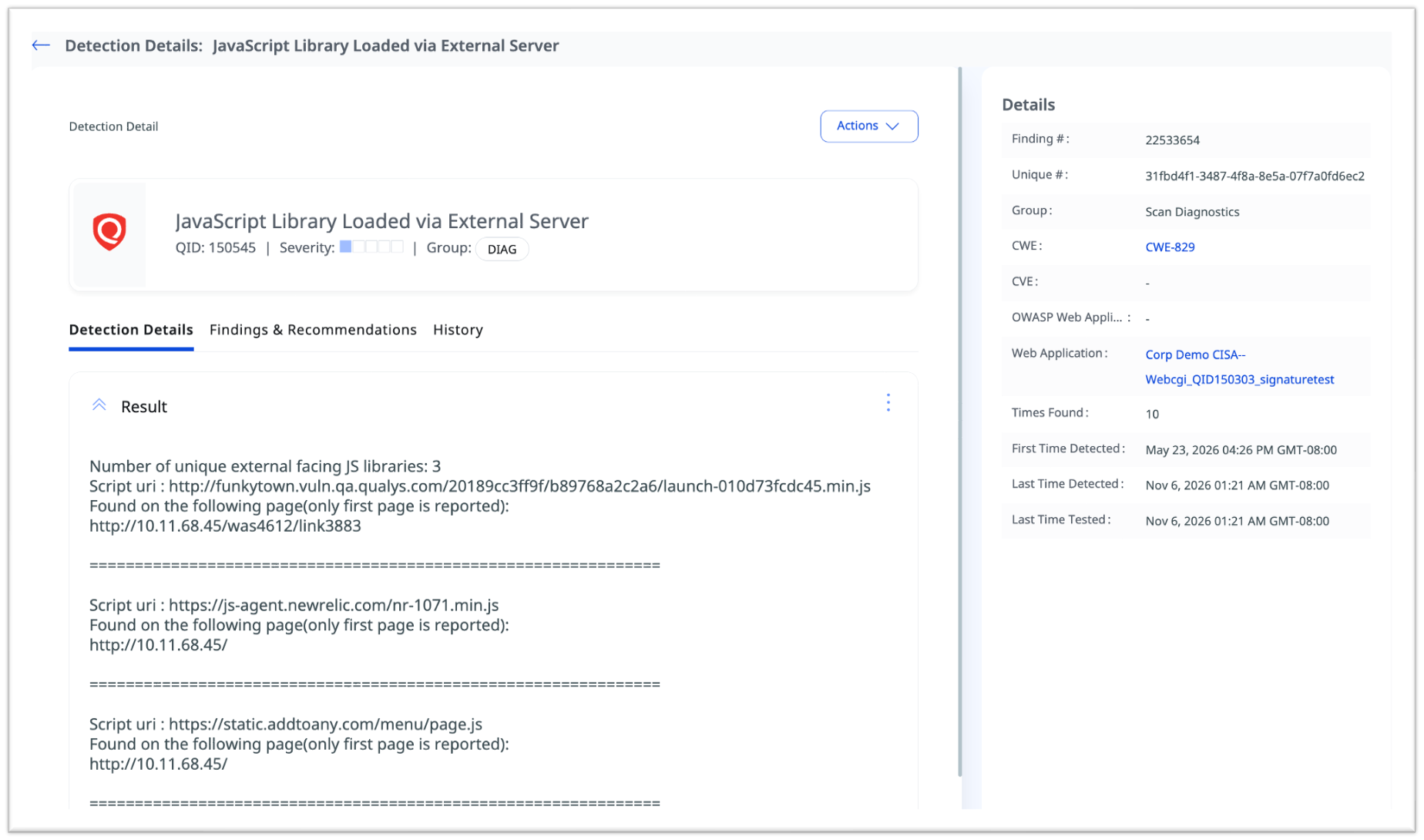
2. Discover external JavaScript dependencies: QID 150545
QID 150545 – JavaScript Library Loaded via External Server reports out-of-scope JavaScript libraries found during crawling, including the page, library version, and external URL. It does not judge whether a library is malicious. Its value is visibility: an inventory of external scripts is the basis for deciding which vendors to trust and which hosts a CSP should allow.
3. Find applications that serve known malicious scripts 533507 (new)
We have released QID 533507 – Known Malicious Script Reference Detected. This unauthenticated check sends an HTTP GET request and inspects the response body for a script src referencing known malicious scripts.
Use it to inventory which applications load known malicious scripts and to prioritize the applications handling payments or cryptocurrency for CSP review.
Detecting malicious content with Qualys Web Malware Detection
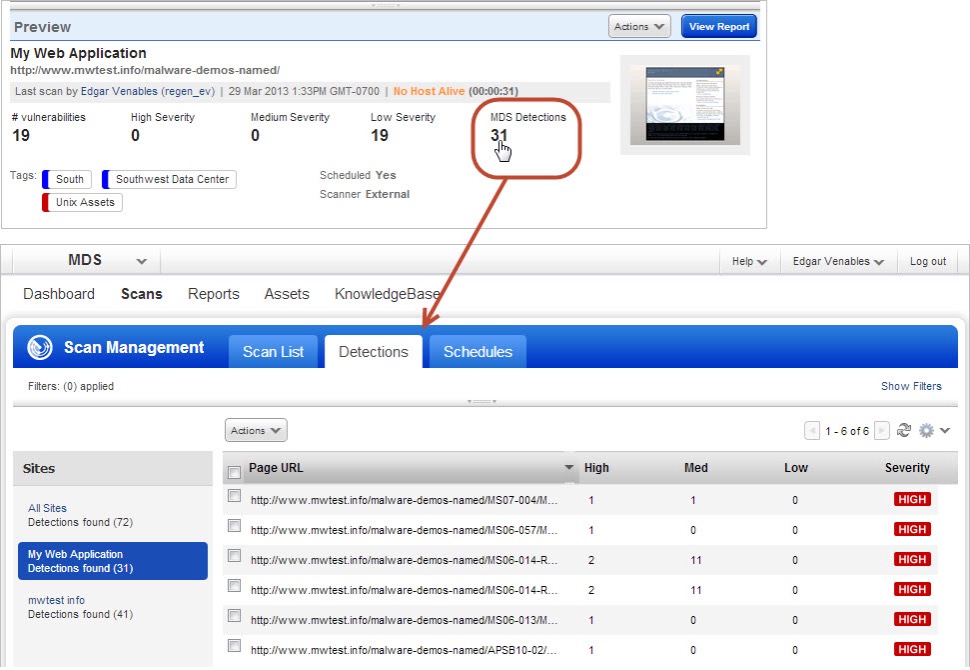
TotalAppSec shows where you are exposed and how well your controls are configured. Qualys Web Malware Detection asks a different question: is malicious content present? Qualys Web Malware Detection combines heuristic analysis (signature rules for patterns such as encoded JavaScript); behavioral analysis (visiting the site with a vulnerable browser and watching for unexpected file writes or processes); reputation checks of pages, referenced URLs, and remotely loaded resources against public blacklists; and antivirus scanning of downloaded scripts and files. Three detections relate directly to third-party script risk:
- QID 207003 – A Match to a Known Virus was Detected: a file written to disk during page rendering is identified as malicious by a virus scanner.
- QID 208000 – Content was Loaded from a Remote Malicious Page: a page loads scripts, iframes, or images from a blacklisted domain.
- QID 208001 – A Link to a Malicious Page was Found: a page links to a domain on one or more blacklists.
Reputation-based detection depends on a domain being blacklisted at scan time. Attacker infrastructure is often new: Report URI found this campaign’s primary domain was registered the morning the attack began. Continuous scanning, alongside preventive controls such as CSP, is paramount for that reason.
Together, these findings give three different views. A script reference (QIDs 533507, 150545) shows where you depend on someone else. A weak control (QIDs 150206, 150207) shows how much damage a compromised dependency could do. Malicious content (QIDs 207003, 208000, 208001) is evidence that something harmful is present.
At a glance: what each detection tells you
| QID | Product | What it establishes |
| 533507 (new) | TotalAppSec | Page references an impacted script |
| 150206 | TotalAppSec | No Content-Security-Policy header is present |
| 150207 | TotalAppSec | CSP contains weak elements (unsafe-inline, unsafe-eval, wildcards, missing default-src or reporting) |
| 150545 | TotalAppSec | An out-of-scope JavaScript library loads from an external server |
| 207003 | Web Malware Detection | A file written to disk during page rendering matches a virus signature |
| 208000 | Web Malware Detection | Page loads resources from a blacklisted domain |
| 208001 | Web Malware Detection | Page links to a blacklisted domain |
Recommendations for security teams
Follow the actions in the vendor’s report. Confirm which pages ran the snippet during the exposure window, review CSP violation reports and outbound requests against the published indicators of compromise, and keep your web, CDN, and CSP logs. The vendor and Report URI published different indicators, so check both.
For every organization:
- Inventory third-party scripts. Use QIDs 533507 and 150545 to see which applications load external JavaScript, and from where.
- Restrict trusted sources. Remove unneeded scripts, especially from payment, login, and personal-data pages.
- Implement CSP and assess it continuously. Resolve QID 150206 and 150207 findings, keep script-src and connect-src restrictive, avoid ‘unsafe-eval’, and test changes in Report-Only mode.
- Monitor third-party script changes. A trusted script can change without any deployment on your side.
- Investigate malicious content. Treat Web Malware Detection findings as triggers for investigation.
- Remove unauthorized scripts and remediate. Restore known-good code and rotate secrets stored in readable cookies.
- Reassess after remediation. Rescan to confirm that fixes are in place.
Conclusion
The incident here did not require breaching a single customer’s application. It required one weakness in a platform those applications trusted. Securing a web application means having visibility into both the code you write and the external scripts you allow to run in your users’ browsers. Qualys TotalAppSec and Web Malware Detection help you inventory those dependencies, check the controls that limit their impact, and find malicious content.
Start Your TotalAppSec Trial Today!